How to Enable Zillow’s AI Staging Tool for Your Listing
How to Enable Zillow’s AI Staging Tool for Your Listing
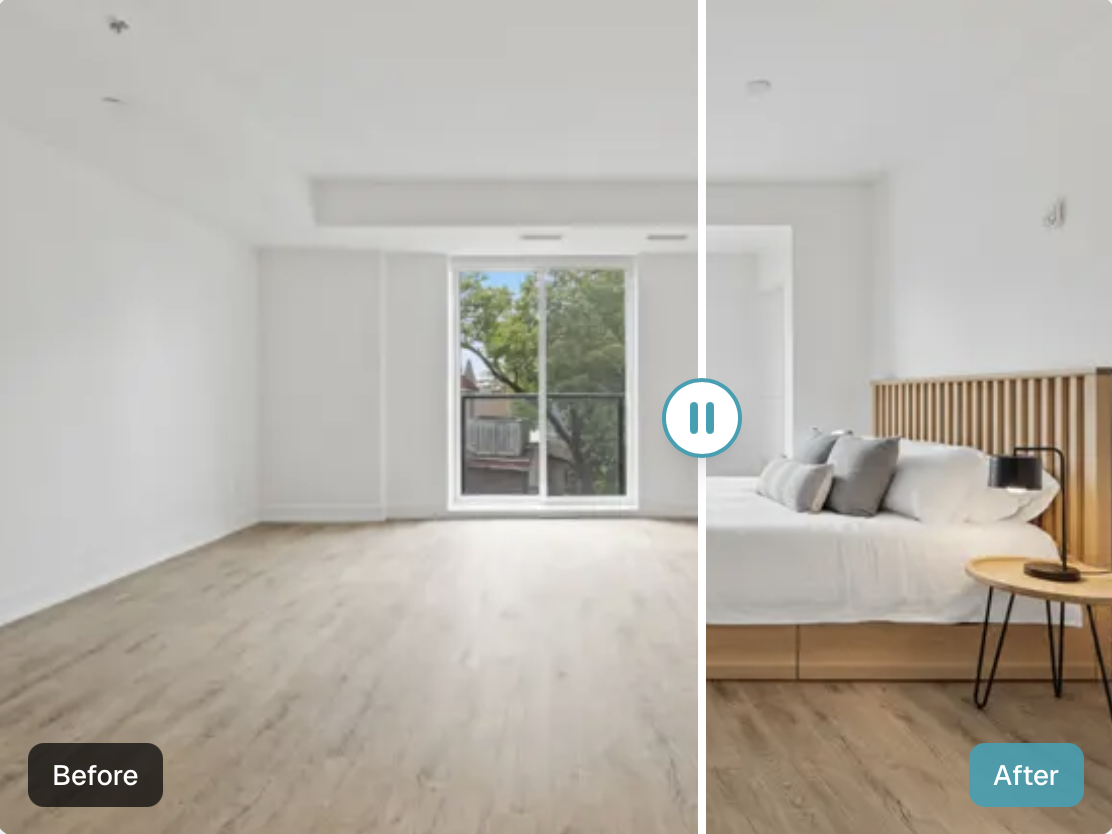
In competitive real estate markets, visually compelling listings aren’t optional—they’re essential. AI-powered virtual staging helps listings stand out by transforming empty or outdated photos into beautifully furnished spaces that attract more views and buyer interest. Zillow’s new AI staging feature is one such tool, but it comes with limitations that make alternatives like RoomPivot an attractive choice for many agents and sellers.
What Is Zillow’s AI Staging Tool?
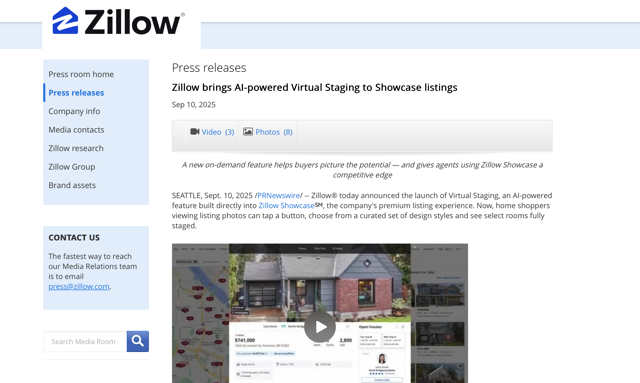
Zillow recently launched an AI-powered Virtual Staging feature integrated into its Zillow Showcase premium listing experience. This tool uses computer vision and design templates to digitally add furniture and décor to listing photos, helping buyers visualize how spaces could look in styles like modern, Scandinavian, industrial, or farmhouse. Buyers can even toggle between design variations directly within the Zillow platform. (Zillow Group Investors)
This highly interactive staging experience supports selling empty or lightly furnished homes by giving buyers a more immersive way to reimagine a space. It’s fully integrated within Zillow’s listing ecosystem and designed for Showcase-level listings. (RealEstateNews.com)
Step-by-Step: How to Enable Zillow’s AI Staging on Your Listing
At present, Zillow’s AI staging feature is tied to Zillow Showcase, which means it’s not automatically available for every listing. Here’s the typical process agents should follow:
Sign Up for Zillow Showcase Zillow Showcase is a premium listing product that enhances visibility and engagement; virtual staging is part of this suite. (Zillow)
Prepare High-Quality Listing Photos Upload clear, high-resolution room photos. AI staging works best with well-lit images showing the room’s true layout.
Enable Virtual Staging in the Showcase Dashboard Within your Zillow agent dashboard or listing settings, look for the Virtual Staging option and toggle it on. Since it’s integrated into the Showcase product, you may need to work with your Zillow representative to ensure it’s activated.
Select AI Style Options (if available) Zillow’s staging interface allows buyers to explore different curated styles. Ensure your listing photos are correctly labeled and scheduled so the staging icons appear on your listing gallery. (Zillow Group Investors)
Publish and Monitor Engagement Once staged, your listing photos will show an interactive staging icon on Zillow. Buyers can click, switch styles, and visualize the space instantly.
Note: Zillow’s AI staging tool is currently only available where Zillow’s services operate (primarily in the U.S. market; availability is limited outside the United States and Canada). International users may not have access through Zillow itself.
Limitations of Zillow’s AI Staging
While Zillow’s staging tool is innovative, there are some important caveats to consider:
Premium Cost: Zillow Showcase, which includes virtual staging, is a paid, premium service. Not all agents or sellers can justify the cost, especially on multiple listings.
Market Availability: Zillow’s virtual staging is tied to Zillow’s geographic footprint (mostly U.S. — and possibly Canada) and is not universally available in many global regions.
Control and Flexibility: The tool’s output is curated and interactive, but it doesn’t allow you to export staged images for use outside the Zillow platform. Buyers can interact with them on Zillow, but you don’t get staging images you can post to other real estate portals, social media, or your own marketing materials. (Zillow)
Introducing RoomPivot: A Cheaper, More Flexible AI Staging Alternative
For agents, sellers, and marketers looking for global access, flexible usage, and more affordable plans, RoomPivot is a compelling AI staging alternative.
What Is RoomPivot?
RoomPivot is an AI-powered room design and virtual staging platform where you upload your own room photos and let the AI generate beautifully staged interiors. Unlike Zillow’s tool, RoomPivot lets you download and reuse staged images across listings, social platforms, brochures, and email campaigns.
RoomPivot Key Benefits
Affordability: Monthly plans start as low as $29/month for individuals and scale up for teams, which is generally lower than the recurring cost of Zillow’s premium Showcase membership.
Use Anywhere: Since RoomPivot outputs downloadable images, you can post staged photos on MLS sites, Realtor.com, Redfin, social media, and global real estate platforms.
Global Availability: RoomPivot can be used worldwide, removing regional restrictions that limit Zillow’s AI staging reach.
Custom Styles and Iterations: You can choose from multiple interior styles, iterate using natural language prompts, and tailor each staging to your buyer demographic.
How to Use RoomPivot for Virtual Staging
Sign Up and Choose a Plan Start with a free trial or select a paid plan based on your staging volume needs.
Upload Photos of Each Room Add clear images of empty or partially furnished rooms.
Choose a Style or Prompt Custom Instructions RoomPivot’s AI offers curated interior styles or accepts descriptive input to match your branding.
Generate and Review Outputs The AI generates staged images. Review and make refinements as necessary.
Download and Deploy Across Platforms Once satisfied, download your staged images and use them across Zillow, MLS sites, Instagram, Facebook, email campaigns, and print materials.
Zillow vs. RoomPivot: Side-by-Side Comparison
Feature | Zillow AI Staging (Showcase) | RoomPivot |
Cost | Premium Showcase subscription (higher cost) | Lower tier plans starting ~$29/month |
Availability | Limited to regions where Zillow operates | Global access via web browser |
Use of Images | Viewable inside Zillow listings only | Downloadable for multi-platform use |
Customization | Buyer-interactive styles on Zillow | Full control of design and prompts |
Ease of Use | Integrated into Zillow listing workflow | Simple upload and design prompts |
Final Takeaways
AI virtual staging is no longer a luxury tool—it’s becoming a core part of real estate marketing. Zillow’s AI staging tool offers a compelling, interactive way for buyers to reimagine spaces directly on the platform, especially when paired with Zillow Showcase. However, the premiums and regional limitations mean it won’t fit every agent’s budget or geographical needs.
RoomPivot fills that gap by offering a more affordable, flexible, and globally available approach to AI staging that you can use across all your marketing channels. For agents who list properties outside Zillow’s core regions or who want reusable staged images for multiple platforms, RoomPivot is a practical and cost-efficient solution.